Easel

A focus timer for iPhone & iPad

A quiet moment
with a painting.

Choose how long you’ll focus. A masterpiece from The Met slowly emerges from the fog while you work, and at 0:00 it’s fully unveiled, and yours to keep.

Download on the App StoreDownload on the App Store

Free, with no ads. For iPhone and iPad.

Vincent van Gogh, Self-Portrait with a Straw Hat: the painter in a yellow straw hat, painted in short, bright strokes of yellow, blue and orange.
Self-Portrait with a Straw HatVincent van Gogh · 1887 · The Met

An exhibition guide

Seven rooms, one quiet idea

No points, no pets, no noise. Just a painting, slowly coming into view, as long as you stay with your work.

I The reveal

Focus, and the fog lifts

Every session hangs a new painting behind a soft, drifting fog. It clears from the centre outward as the minutes pass, so you can feel your progress without watching the clock.

  • Fully unveiled at 0:00, with a museum placard: what you focused on, the title, the artist and the date.
  • Never waits on the network. The painting is ready before you begin.
  • Leave and come back. The timer keeps true time, even with your phone locked.
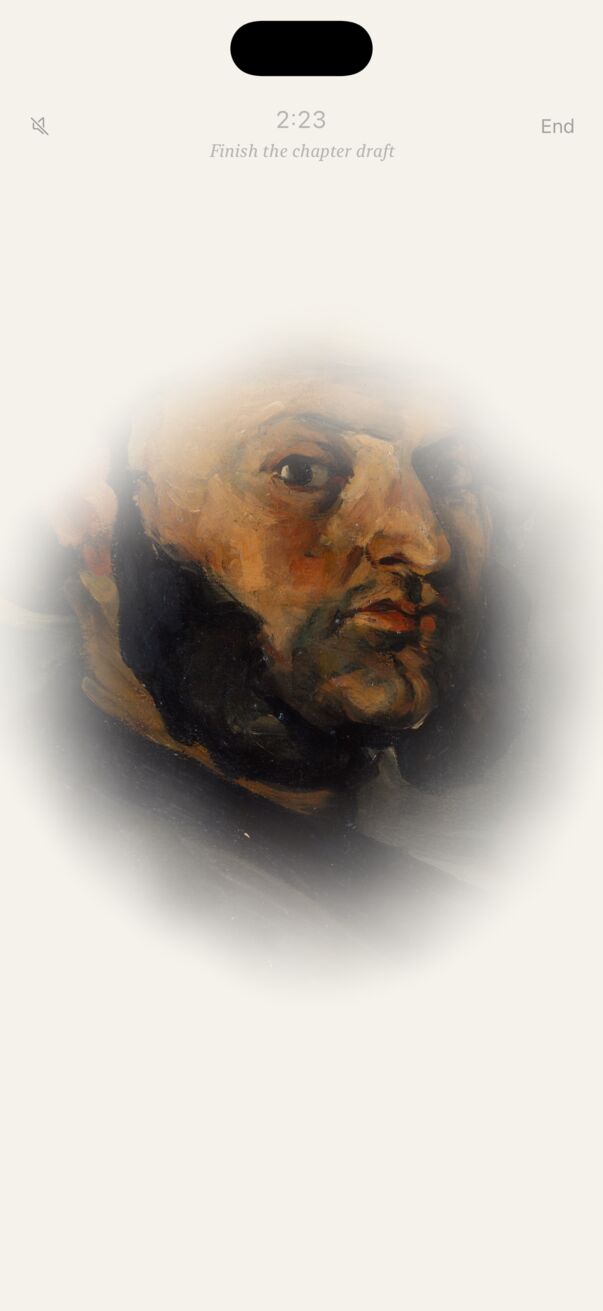
Easel on iPhone during a focus session: a Cézanne portrait emerging from the fog, 2:23 remaining, with the intention Finish the chapter draft.
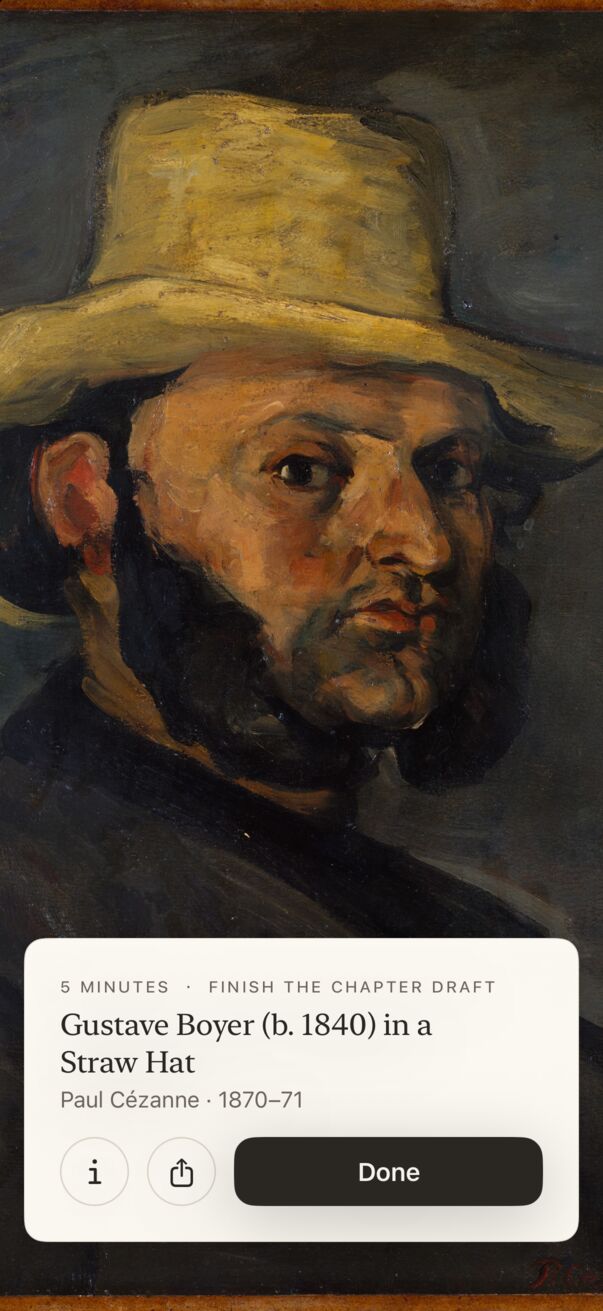
Cézanne’s Gustave Boyer in a Straw Hat, fully revealed at 0:00, with a cream museum placard: 5 minutes · Finish the chapter draft, the title and artist, info and share buttons, and Done.

II Your gallery

Every painting you uncover is yours to keep

Finished sessions hang in your own gallery. Over weeks it becomes a quiet record of everything you’ve made time for.

  • Over 600 works from The Met’s Open Access collection, from Vermeer and Van Gogh to Hokusai.
  • Focus with a collection: European Paintings, Japanese Prints, Flowers & Birds, American Paintings, or a single artist or era.
  • Share a painting in a gilded frame, as a Story or a Post.
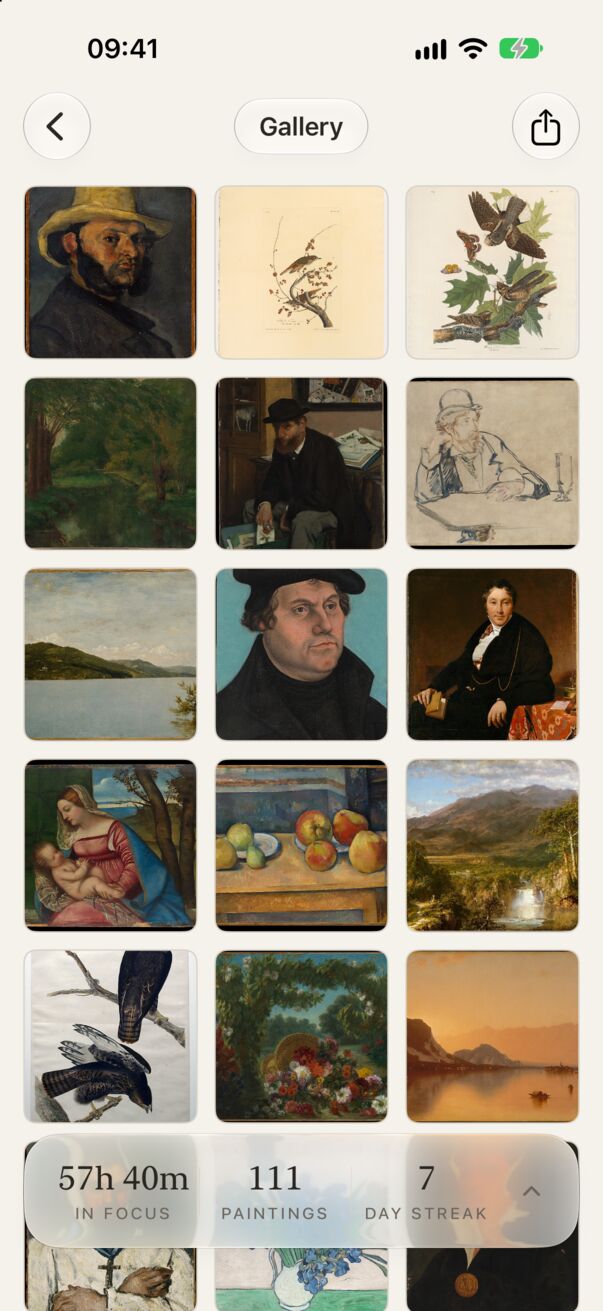
Easel’s gallery on iPhone: a grid of earned paintings, from Cézanne’s portrait in a straw hat to Audubon’s birds, above a card reading 57 hours 40 minutes in focus, 111 paintings, 7-day streak.

III Make it yours

What will you focus on?

Name what you’re working on, or pick a subject: study, writing, reading, creating. Then choose a single session or a Pomodoro set, five minutes to two hours.

  • Pomodoro blocks with short breaks, a new painting for each block.
  • Your intention travels with the painting into your gallery.
  • Start from anywhere: Siri, Shortcuts, Control Center or a widget.
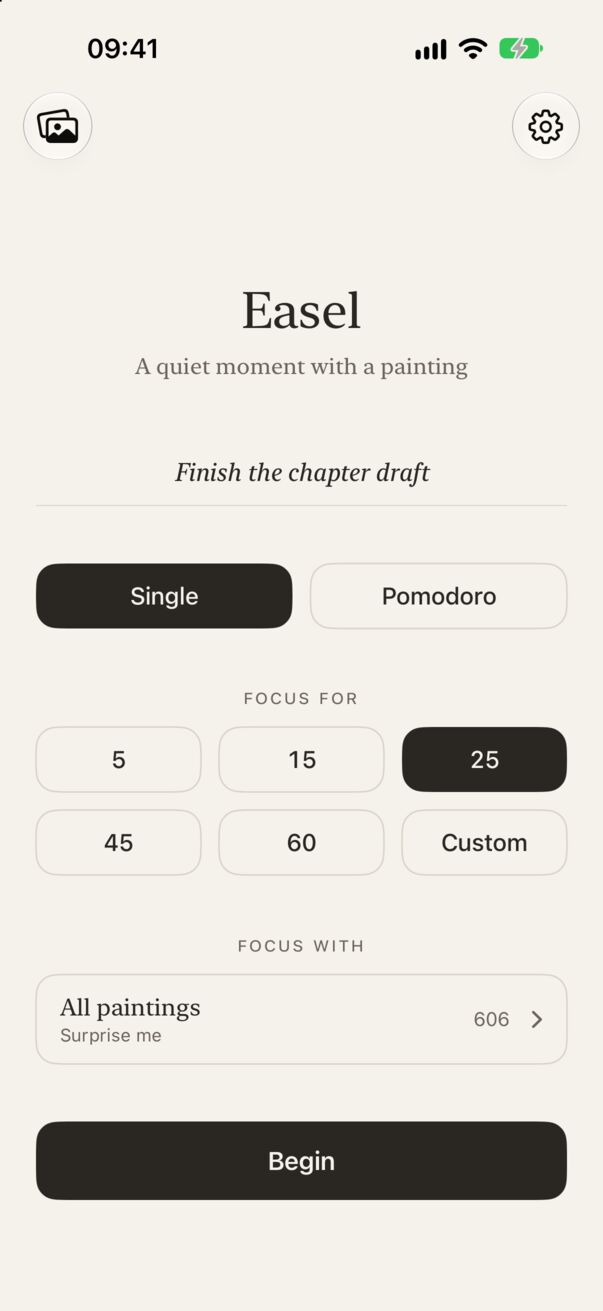
Easel’s home screen: the intention “Finish the chapter draft”, Single or Pomodoro, durations of 5, 15, 25, 45 and 60 minutes or Custom, Focus with All paintings, and Begin.
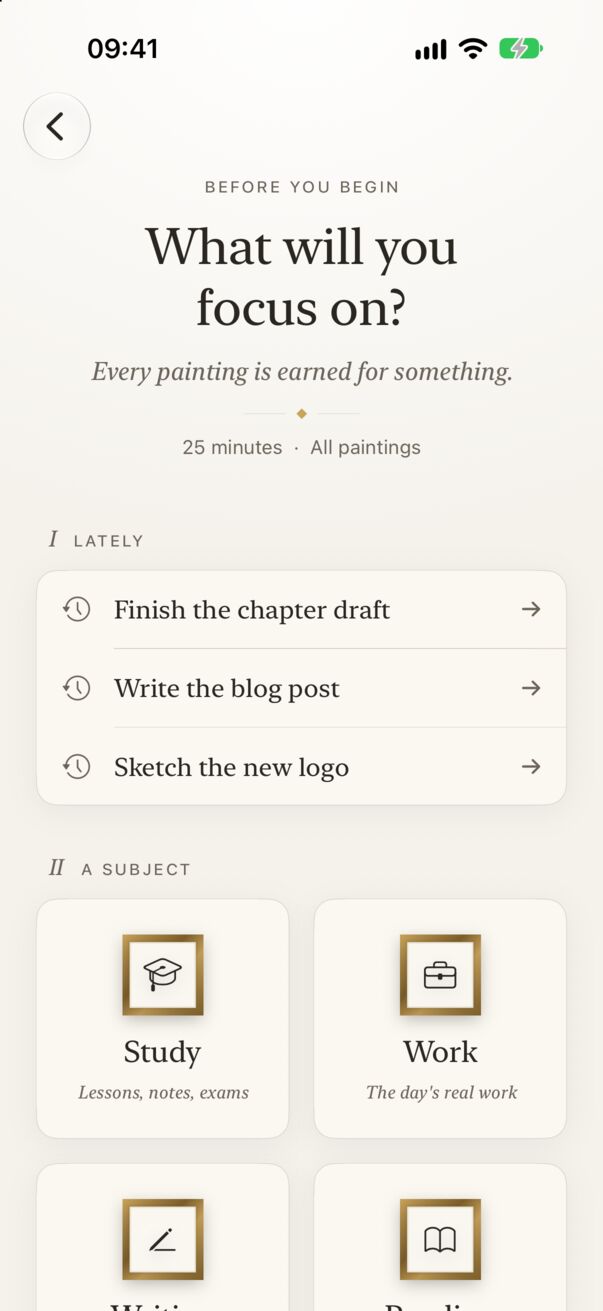
The focus question: What will you focus on? with recent intentions and subjects such as Study and Work.

IV Your focus, in numbers

Streaks, statistics and a Year in Review

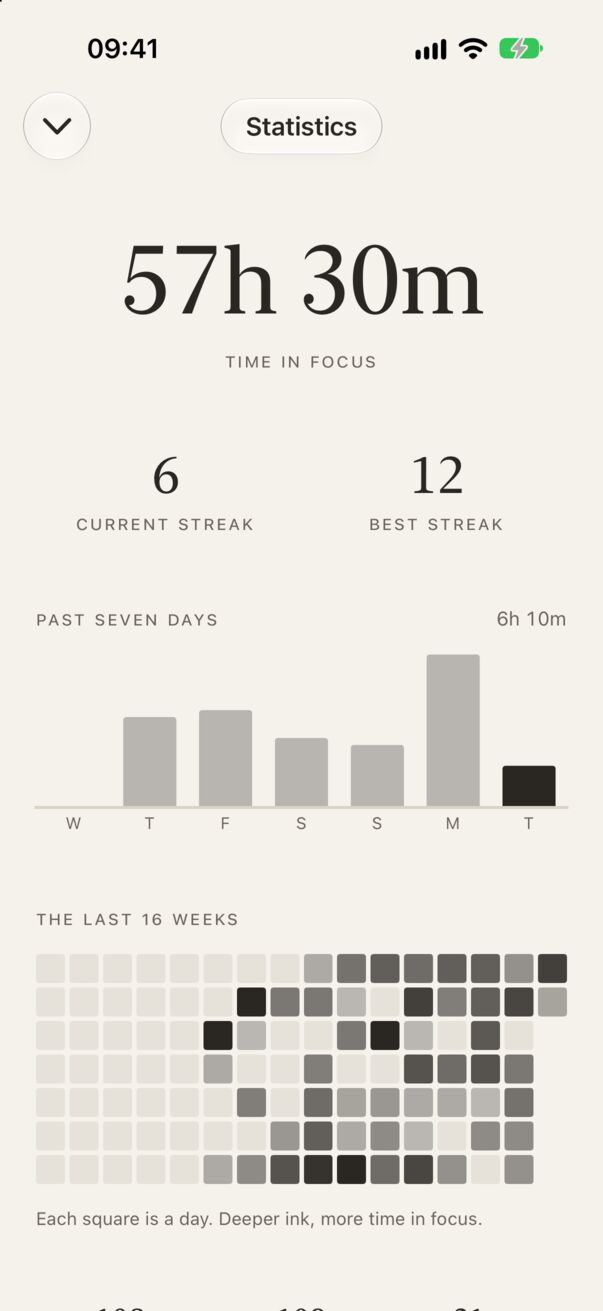
See your hours, your paintings and your longest run, a week at a glance and a calendar of every day you showed up.

  • Milestones at 10, 25, 50, 100 paintings and beyond.
  • Year in Review, every December: your year in focus as a short exhibition, set to Handel.
  • Private by design. Your history and intentions stay on your device.
Easel’s Statistics: 57 hours 30 minutes in focus, a 6-day current streak and 12-day best, a chart of the past seven days and a calendar of the last 16 weeks.

V Beyond the app

On your Lock Screen, Home Screen and Dynamic Island

The Painting of the Day widget starts each morning hidden in fog. Every minute you focus clears a little more, until your daily goal unveils it completely.

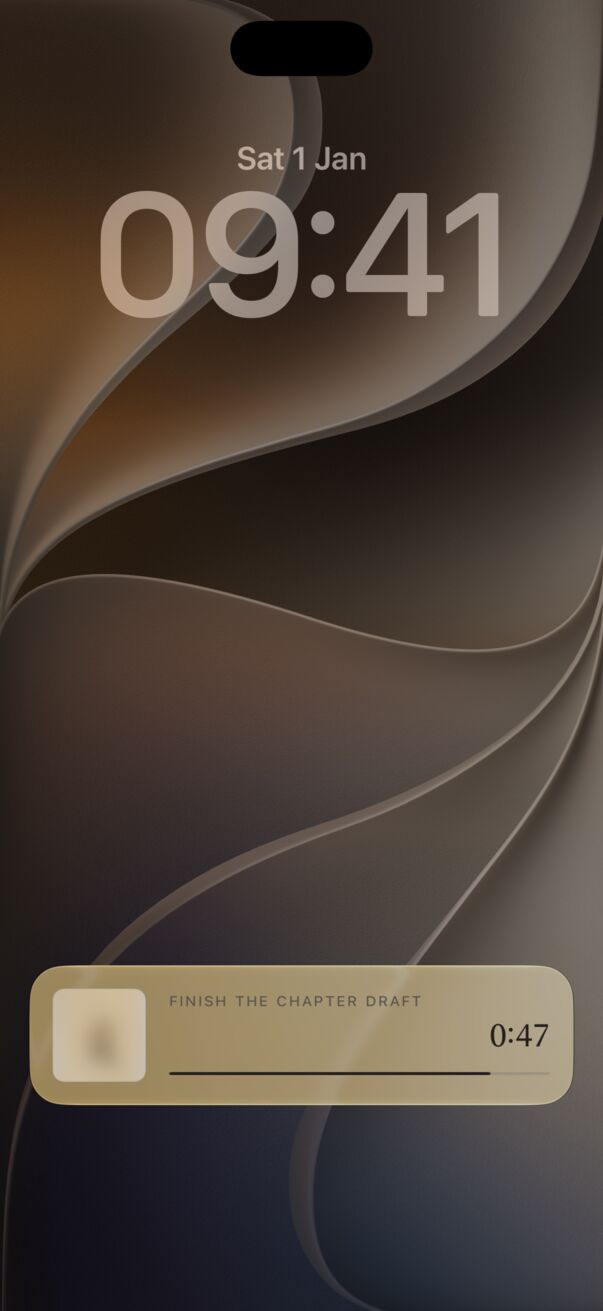
  • Live Activity keeps your countdown on the Lock Screen and in the Dynamic Island.
  • Focus & Streak widget, StandBy, and a Control Center button.
  • A gentle daily reminder that names today’s painting, if you’d like one.
The iPhone Lock Screen with Easel’s Live Activity: the intention “Finish the chapter draft”, a softly blurred painting and the countdown.

VI By day, by night

A gallery that keeps your hours

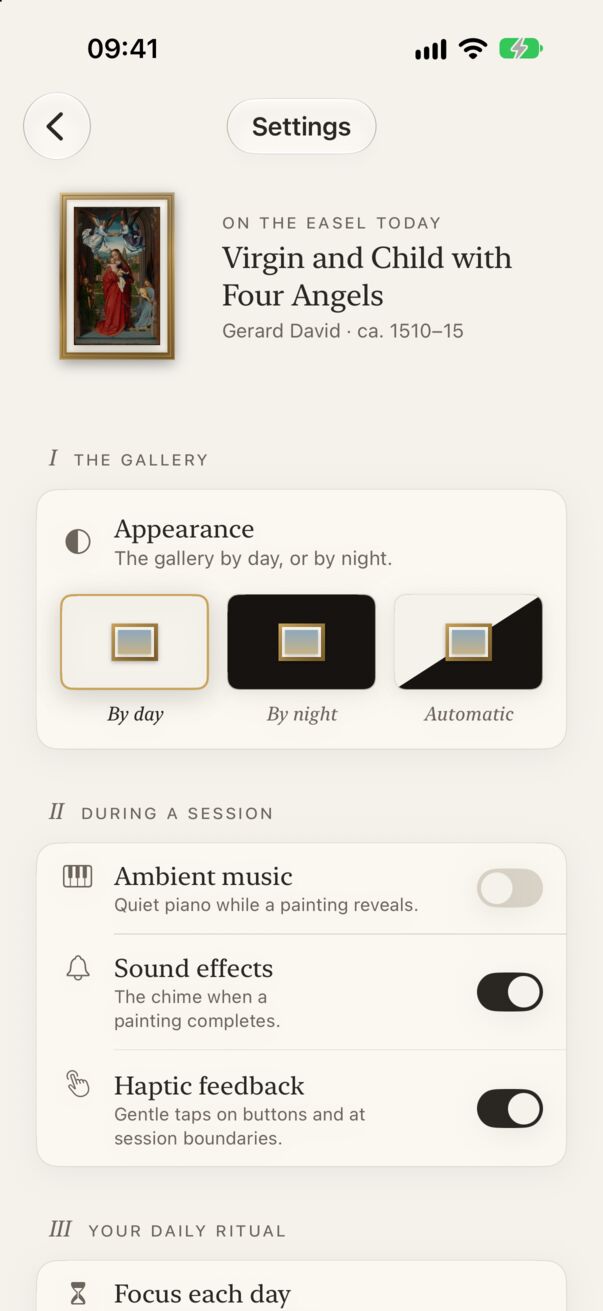
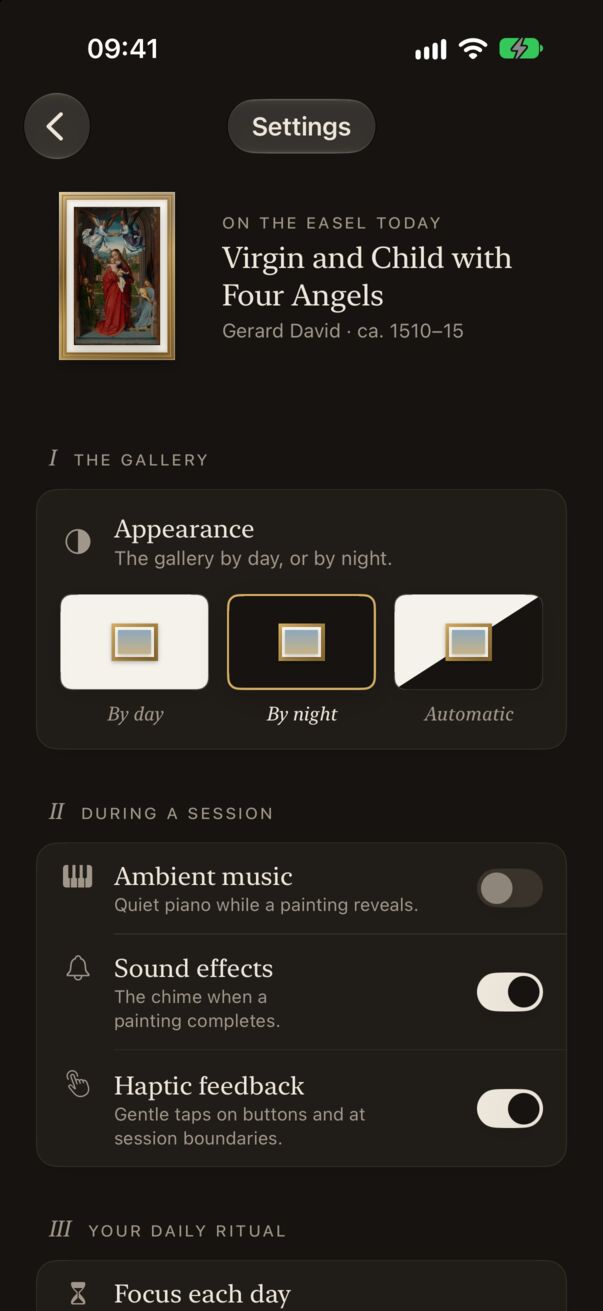
A warm, lit wall by day, and a candlelit charcoal room for late sessions. Choose one, or let Easel follow your iPhone.

Easel’s Settings by day: a warm off-white wall, today’s painting in a small gilt frame, and the Appearance choice set to By day.
The same Settings screen by night: deep charcoal wall, cream text, Appearance set to By night.

VII Patronage

Every gallery has its patrons

Easel is free, with no ads and no subscription, and made by one person. If it brings some calm to your days, a one-time gift helps keep it going. It unlocks nothing, because everything in Easel is already yours.

A Fine Brush

For the small, careful strokes that make the app better.

A Box of Pigments

Fresh colour for whatever comes next.

A Gilded Frame

Hangs the whole work on the wall. A true patron’s gift.

Visitor information

Guides for every room

Illustrated, step-by-step guides to Easel, and answers to the questions people ask most. If you ever lose your way in the app, you’ll find it again here.

See all fourteen guides ›

Now showing

Your next painting is waiting behind the fog

Easel: Focus Timer & Art. For iPhone and iPad, iOS 17 or later.

Download on the App StoreDownload on the App Store